Can I Keep My Home Number and Use a Bali eSIM at the Same Time?
One of the biggest concerns travelers have before switching to an eSIM is surprisingly simple:
Will I lose my home phone number?
For many people, that question matters just as much as price, data allowance, or coverage. Your phone number is tied to years of contacts, banking logins, two-factor authentication, messaging apps, and everyday communication. So the idea of switching to a travel eSIM can feel a little risky at first, especially if you are used to swapping SIM cards manually or relying on roaming.
The good news is that, for most modern smartphones, the answer is no.
If your phone supports Dual SIM functionality, you can often keep your home number active while using a Bali eSIM for mobile data. That means you can continue receiving calls and messages on your regular number while enjoying local connectivity during your trip.
In other words, you do not usually have to choose between keeping your home number and staying connected in Bali. In many cases, you can have both.
That flexibility is one of the main reasons eSIMs have become so popular with travelers. Instead of removing your home SIM or changing everything about the way your phone works, you can add a Bali eSIM digitally and use it alongside your existing number.
In this guide, we will explain how Dual SIM works, how WhatsApp behaves, how to avoid expensive roaming charges, and when having a local Indonesian (+62) number can make your Bali trip easier.
The Short Answer
Yes — most travelers can keep their home number while using a Bali eSIM.
How this works depends on:
Your phone model
Whether your phone supports eSIM
Your carrier’s policies
Your Dual SIM settings
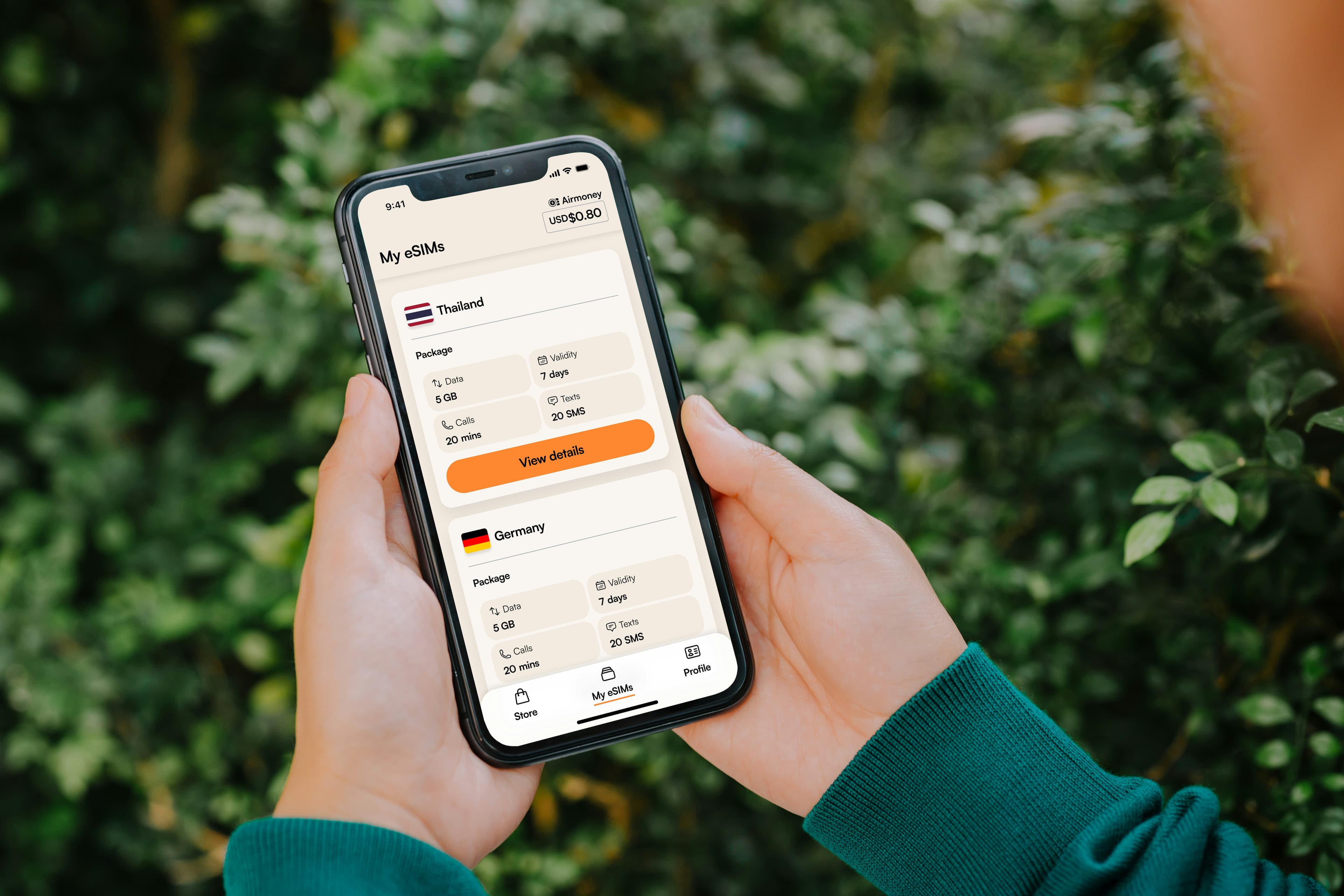
Most recent iPhones, Google Pixel devices, Samsung Galaxy phones, and many flagship Android phones support using an eSIM alongside another SIM. Some phones use a physical SIM plus an eSIM. Others allow multiple eSIM profiles. The exact setup depends on the device, but the general idea is the same: one line can stay connected to your home number while another line handles travel data.
For travelers, that is a very useful feature. It gives you the freedom to stay reachable on your regular number without paying for unnecessary roaming data on that same line.
What Is Dual SIM?
Dual SIM means your phone can use two mobile plans at the same time.
That is one of the biggest advantages of eSIM technology for international travel. Instead of removing your home SIM card, putting it somewhere safe, and hoping you do not lose it, you can simply add another plan digitally.
Your phone can then use:
One line for your home number
Another line for mobile data in Bali
The exact settings vary by device, but the core idea is very consistent. One line can handle calls and SMS while the other line handles internet access.
This is especially helpful when traveling because it lets you separate two different needs:
- Staying reachable on your regular number
- Using affordable local or travel data for internet access
That separation is what makes the setup so convenient. Your home number continues to exist in the background, while your Bali eSIM does the heavy lifting for maps, messaging, and browsing.
Physical SIM + Bali eSIM
This is the most common travel setup. For example:
Physical SIM
Your home number
Calls
SMS
Existing WhatsApp account
Bali eSIM
Mobile data
Internet access
Local connectivity
Travel apps
Your phone simply manages both connections together.
Many travelers never remove their home SIM card at all. They keep it in the phone for number access, security codes, or occasional calls, while using the Bali eSIM for data throughout the trip.
This is often the easiest and most practical setup for short holidays and even longer trips. It reduces the risk of losing a physical SIM card and makes switching between lines much simpler.
The main thing to understand is that your home number does not disappear just because you add a Bali eSIM. The two can coexist.
eSIM + eSIM
Some newer smartphones allow multiple eSIM profiles.
That means you may already use an eSIM at home and then install a second eSIM for Bali. Depending on your device, you can then choose which plan handles:
Data
Calls
SMS
This makes international travel much easier than constantly swapping physical SIM cards.
For people who already use eSIMs regularly, this setup is often the most convenient of all. You can keep one profile associated with your home service and use another profile for travel, all without opening the SIM tray or handling a tiny plastic card.
This setup is especially useful for frequent travelers, digital nomads, and people who want a very clean phone experience with minimal physical setup.
Can I Keep My WhatsApp Number?
Yes.
This is one of the biggest misconceptions about eSIMs. Installing a Bali eSIM does not automatically change your WhatsApp number. WhatsApp stays connected to the number you originally registered unless you intentionally change it.
That means you can usually continue using:
Existing chats
Groups
Contacts
Call history
Photos and media
Business chats
Ongoing conversations
Your friends and family will not notice any difference. Your WhatsApp identity remains the same. The only thing that changes is which internet connection your phone uses.
In most cases, your Bali eSIM simply provides the data connection that WhatsApp needs. It does not replace the number attached to your WhatsApp account.
That is important because many travelers worry that using a foreign eSIM will somehow force them to set up a new WhatsApp account. Usually, that is not how it works at all.
So if you are concerned about staying in touch with the people you already message every day, you can usually relax. Your WhatsApp number can stay exactly as it is.
Which SIM Should Handle Mobile Data?
When using Dual SIM, your phone lets you choose which line provides internet access. For a Bali trip, many travelers choose this arrangement:
Home SIM
Calls
SMS
Existing phone number
Bali eSIM
Mobile data
Google Maps
WhatsApp
Ride-hailing apps
Social media
Email
Browsing
Translation apps
This setup helps you avoid relying on international roaming for internet access.
That matters because roaming data can become expensive quickly. If you use your home carrier for everything abroad, even normal travel activities like checking maps, sending photos, or opening apps may trigger high charges. By assigning mobile data to your Bali eSIM, you keep those costs under control.
A lot of travelers find this setup ideal because it gives them the best of both worlds:
Their home number remains available
Their travel data is handled by a separate line
Their everyday apps still work normally
They avoid the shock of a huge roaming bill later
This is one of the strongest practical reasons to use an eSIM in the first place.
What About Calls and Text Messages?
If you leave your home SIM active, you may still be able to receive:
Calls
SMS messages
Verification codes
However, how this works depends on your mobile carrier and your plan.
Some carriers allow calls and texts to come through while you are abroad. Others may charge roaming fees for receiving them. In some cases, your SIM may need roaming enabled for calls or texts to work normally. In other cases, receiving messages may still work even if you do not actively use the SIM for data.
That is why it is important to check your carrier’s roaming policy before traveling.
Why this matters
You may think, “I am not using my home SIM for data, so I am safe from charges.” Sometimes that is true, but not always. Calls and SMS can still create charges depending on your provider.
For example:
A short incoming call might still incur a roaming fee
A verification text may be free or may not be, depending on your carrier
Voicemail retrieval can sometimes create charges
Outgoing calls are often more expensive than incoming ones
The exact rules vary, so the safest approach is to check before leaving.
If your home number is important for banking, security verification, or personal communication, you should understand exactly how it behaves while you are abroad.
How to Avoid Unexpected Roaming Charges
One of the biggest reasons people buy a Bali eSIM is to reduce roaming costs. A few simple checks before departure can help a lot.
Apakah ponsel Anda mendukung eSIM?
Cek daftar iPhone dan Android yang kompatibel sebelum memesan: hanya 30 detik.
Cek kompatibilitas1. Use Your Bali eSIM for Mobile Data
Make sure your Bali eSIM is selected as your primary data line. That allows apps like:
Google Maps
WhatsApp
Instagram
Gmail
Grab
Gojek
Translation tools
Booking apps
To use your Bali data plan rather than your home carrier’s roaming service. This is one of the most important settings to check before you fly. If the wrong line is used for data, you may end up paying more than expected.
2. Review Your Roaming Settings
Many phones let you control roaming separately for each SIM.
Before flying, review your settings so you understand which line is allowed to use mobile data abroad. Depending on your carrier and device, you may want to leave roaming enabled only for calls and SMS, while keeping mobile data on the Bali eSIM.
That balance is usually the safest option for travelers who want to remain reachable without using expensive roaming data.
3. Understand Your Home Carrier’s Charges
Receiving calls or SMS messages while overseas may still be subject to your carrier’s roaming policy.
Check your provider’s terms before your trip so there are no surprises. It is much better to know in advance whether incoming texts are free, whether receiving calls costs money, and whether voicemail access counts as roaming use.
If you are using your home number for verification codes, that information matters a lot.
4. Consider Turning Off Data Roaming on Your Home Line
In many cases, travelers choose to disable data roaming on their home SIM while leaving the line active for calls and texts.
That way, the home line can still receive important communications if needed, but it cannot accidentally use mobile data in the background.
This is often one of the easiest ways to protect yourself from surprise charges.
When Does a Local Indonesian Number Help?
Not every Bali eSIM includes a local Indonesian number. Some provide mobile data only. Others include both data and a local +62 number.
For many tourists, data-only service is perfectly adequate. If you mainly use WhatsApp, maps, and travel apps, you may never need anything else.
However, a local number can be useful if you will be:
Using Grab or Gojek regularly
Coordinating airport pickups
Communicating with villa hosts
Making local bookings
Receiving SMS verification codes
Staying for several weeks
Dealing with local businesses directly
You may not use the number every day, but having it available can make local coordination easier.
That can be particularly helpful when you are trying to arrange transport, confirm a reservation, or give a local business a number that feels more familiar to them.
In other words, a local number is not essential for everyone, but it can remove friction in the moments when communication matters most.
Why Some Travelers Prefer to Keep Both
There is a certain comfort in knowing your home number still exists while you are traveling.
It means:
family can still call you on your regular number
your banking and security systems may still recognize you
you do not need to change all your contact details
you can keep using WhatsApp without disruption
you still have local data through the Bali eSIM
For many travelers, that combination is ideal.
You do not have to choose between “home” and “travel.” You can have both, and each line can serve a different purpose.
That is especially convenient if you rely on your home number for important logins or if you simply do not want to change the way your phone works while abroad.
Example Travel Setups
To make the idea more concrete, here are a few common trip styles and how Dual SIM often fits them.
1. Short Holiday: 5–7 Days
Best setup:
Keep your home SIM active
Install a Bali eSIM
Use the Bali eSIM for data
Continue using WhatsApp with your existing number
For many travelers, this is all that is needed.
The trip is short, the communication needs are simple, and the goal is mainly to stay online without paying roaming charges.
2. Two-Week Bali Trip
You might:
Keep your home number available
Use Bali data every day
Coordinate with drivers
Book tours
Use ride-hailing apps frequently
Keep WhatsApp active for friends, family, and local contacts
If you will be interacting with local businesses often, an eSIM with a local number may offer additional flexibility.
That said, a data-only eSIM may still be fine if most of your communication happens through WhatsApp and your accommodation is already arranged.
3. Long Stay or Digital Nomad
Longer trips often involve:
Coworking spaces
Scooter rentals
Deliveries
Local services
Accommodation changes
Activity bookings
More frequent verification codes
The longer you stay, the more useful a local Indonesian number may become.
At that point, the extra flexibility can save time and reduce repetitive hassle. If you are living in Bali for weeks or months, having a local number may feel less like a bonus and more like a practical tool.
What About Banking and Security Apps?
Many travelers also worry about banking apps, payment apps, and two-factor authentication.
This is a real concern because some security systems are tied to your home phone number. If your bank sends verification codes by SMS, you may want to keep your home SIM active so you can receive them.
That is one of the main reasons not to remove your home SIM unless you truly need to.
A Bali eSIM does not usually interfere with your banking apps by itself. But if your bank expects SMS codes to your home number, you need that line accessible.
Before traveling, it is smart to check:
Whether your bank uses SMS verification
Whether you need to receive OTP codes abroad
Whether your number must remain active for logins
Whether your bank supports app-based authentication instead of SMS
This is especially important for longer trips, remote work, or any travel where you expect to make payments or manage accounts on the go.
How to Set Things Up Before You Fly
A little preparation before departure makes Dual SIM use much easier.
1. Check That Your Phone Supports eSIM
Not all phones do. Before buying a Bali eSIM, make sure your device supports eSIM functionality.
2. Confirm Dual SIM Support
Your phone should be able to use two lines at the same time, whether that means physical SIM plus eSIM or eSIM plus eSIM.
3. Keep Your Home SIM Active
If you want to keep your home number reachable, do not remove it unless you have a specific reason.
4. Choose Which Line Handles Data
Set your Bali eSIM as the mobile data line so your travel apps use the correct connection.
5. Review Roaming Settings
Check your home carrier’s roaming rules and decide whether you want data roaming disabled while still keeping calls or SMS active.
6. Test Important Apps Before Departure
Make sure WhatsApp, banking apps, and any security verification systems still work the way you expect.
7. Install the Bali eSIM Before Traveling
Whenever possible, install your Bali eSIM before departure so you are not troubleshooting at the airport.
That little bit of preparation can save a lot of stress later.
Common Mistakes to Avoid
Here are a few mistakes travelers sometimes make when setting up Dual SIM.
1. Leaving Data on the Wrong Line
If your home SIM is still set as the primary data line, you may accidentally use roaming data. That can be expensive.
2. Assuming WhatsApp Will Change Automatically
It usually will not. Your WhatsApp number stays the same unless you intentionally change it.
3. Removing the Home SIM Too Soon
If your bank, employer, or family needs to reach your home number, you may want to keep it active.
4. Ignoring Carrier Roaming Rules
Even if you are using a Bali eSIM for data, your home carrier may still charge for calls or SMS.
5. Not Testing Before Travel
It is much easier to fix a settings issue at home than after landing in a new country.
FAQ
Can I use my home SIM and a Bali eSIM together?
Yes, if your phone supports Dual SIM functionality. Many modern smartphones allow you to keep your home SIM active while using a Bali eSIM for mobile data.
Will I lose my home phone number?
No. Installing a Bali eSIM does not automatically replace your existing number.
Will WhatsApp still work?
Yes. Your WhatsApp account usually stays linked to the number you originally registered, even if your mobile data comes from a Bali eSIM.
Can I still receive SMS messages?
Often, yes, if your home SIM remains active. Availability and any roaming charges depend on your carrier.
Should I get a Bali eSIM with a local number?
It depends on your trip. If you will rely heavily on ride-hailing apps, local bookings, airport pickups, or SMS verification, having a local +62 number may be useful. Otherwise, a data-only eSIM may be enough.
Do I need to turn off my home SIM?
Not necessarily. Many travelers keep it active for calls and SMS while using the Bali eSIM for data. What matters most is controlling which line handles mobile data.
Is Dual SIM hard to set up?
Usually no. Once installed correctly, it is mostly a matter of choosing the right lines in your phone settings.
Final Thoughts
You do not need to give up your home number just because you use a Bali eSIM. For most modern phones, Dual SIM support makes it possible to keep both. Your home number can stay active for calls, texts, banking codes, and personal communication, while your Bali eSIM handles mobile data, maps, apps, and internet access.
That combination is one of the biggest advantages of traveling with eSIM technology. It gives you flexibility without forcing you to change the way you communicate.
If your trip is short and simple, keeping your home SIM active while using a Bali eSIM for data is often the easiest setup. If your trip is longer or more local-communication-heavy, a Bali eSIM with a local Indonesian number may give you even more flexibility.
The best option is not necessarily the most advanced one. It is the one that lets you stay connected, avoid surprise charges, and travel with less stress.